Online Learning Certificate Programs
Register for an Online Learning Certificate Program
Complete the Two-Step Registration Process
You'll take all required courses for our certificate programs online in the Statewide Learning Management System. While both CSEA-represented NYS employees and Management/Confidential NYS employees may participate in our programs, the registration process varies by employee group, so please carefully follow the instructions below.
Log in to the Statewide Learning Management System (SLMS)
Non-SUNY Employees
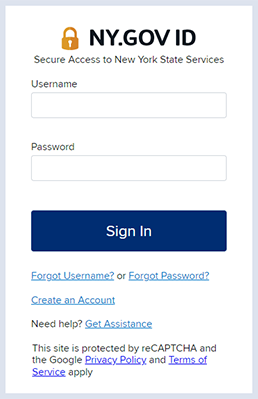
- Enter your SLMS username and password to sign in.
SUNY Employees
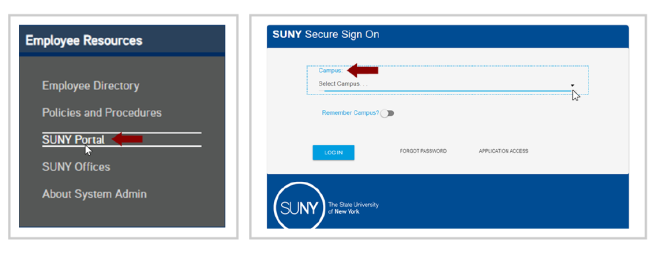
- Login to SLMS from the SUNY Secure Portal where you'll select your campus from the drop-down menu and then enter your login credentials.
- Navigate to the E-Business Services tab, select SLMS–Statewide Learning Management System, and then select the SLMS link on the my.ny.gov page.
Step 1: Register for the Appropriate License
To participate, you must follow a two-step registration process. The process varies for CSEA-represented NYS employees and Management/Confidential NYS employees. Follow the steps for your employee group below to get started.
CSEA-represented NYS Employees
Navigate to the Partnership Online Learning License Program registration page in SLMS.
(Once logged in to SLMS, if the direct link does not take you to the Partnership Online Learning License Program registration page, continue with these instructions:
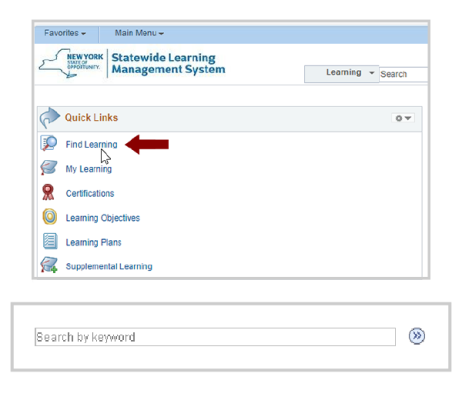
- Select Find Learning in the Quick Links menu in SLMS.
- Next, locate the Search by Keyword box and enter P_OL_Program. Select Enter to search. Select the Partnership Online Learning License Program.)
- Select Register and then select Submit Registration.
- You will see a message (and a status of) Pending Approval for now.
- Next, Partnership staff will process your application and assign you a license (please allow up to five business days).
- Once your license has been processed, the status in your My Learning area will change to Completed.
NYS Management/Confidential Employees
Please contact your agency training director to obtain an Empire KnowledgeBank (EKB) license so that you can successfully register for our certificate programs.
Step 2: Enroll for a Certificate Program
Once you have an active license appropriate for your employee group type, you can enroll for the certificate program(s) of your choice in SLMS.
- Once logged in to SLMS, Navigate to the Find Learning link in SLMS.
- Locate the Search by Keyword box. Enter the SLMS class code for the certificate program of your choice and select Enter to search. Select the certificate program.
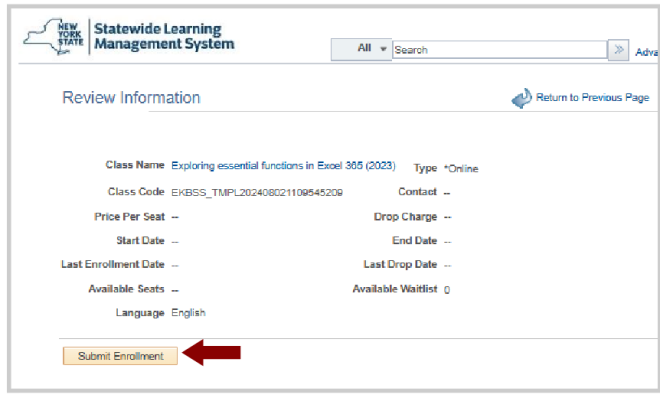
- Select Enroll and then select Submit Enrollment.
Start Taking Courses to Earn a Certificate
You must complete step one or already have the appropriate license to start taking classes within a certificate program. If you get a message saying, No classes available, you do not have an active license and must apply for one. See step one for your employee group above.
- To start taking classes, select the My Learning link in the Quick Links menu and select the name of your certificate program.

- Scroll down through the program description until you see the Section Classes list. If the program has elective courses, they will appear below the required courses. You must enroll in a class before you can launch it. If you are not already enrolled in the class, select View Enrollment Options.
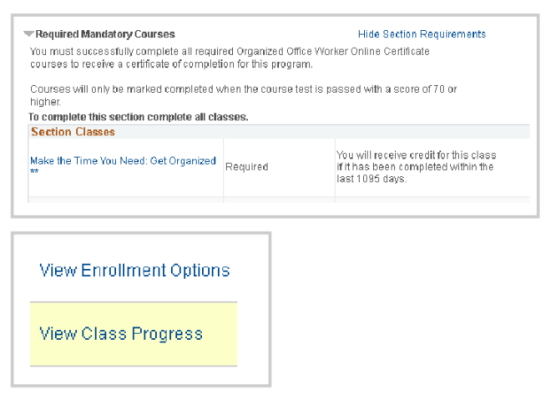
- Then select the Enroll button. Next, select Submit Enrollment.
- You can select the Launch button to start a course immediately or launch it later from your My Learning.
- To receive credit for a class, you must complete the final test for that class with a score of 70% or higher. Final tests may be re-taken as many times as you wish without penalty.
Technical Support & Questions
If you still need help after reading the following solutions to some of the most common problems in SLMS, please contact us at (518) 486-7814 or [email protected].
- No Classes Available Error - If you don't have the appropriate license, you will get this message. For CSEA-represented NYS employees, you must first apply for a Partnership Online Learning License while M/Cs must have access to an agency EKB license. See the instructions above by employee group.
- Pending Approval - Please allow up to five business days for the Partnership to approve your request for a Partnership Online Learning License.